









Google launches Work Insights for Google Workspace


4 mins read
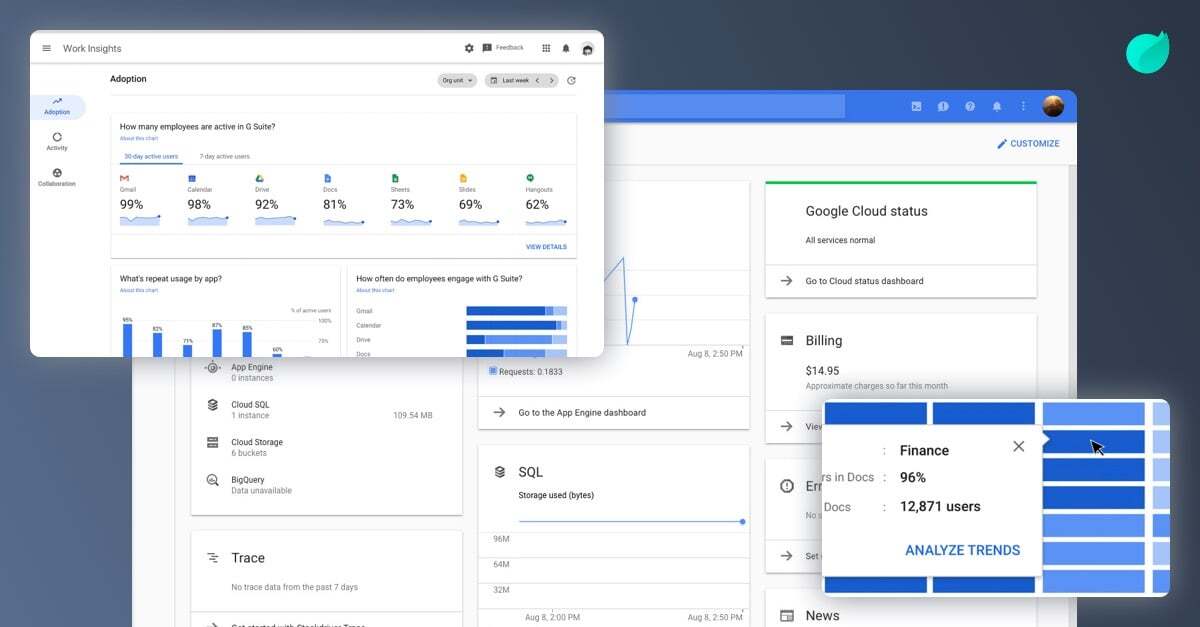
As described in a blog by Google, Work Insights is the new tool for Google Workspace (G Suite admins that gives a holistic overview of usage stats within organizations. This isn’t exactly a new tool so your bosses can spy on what work you’re doing (or not doing, as it may be) but rather gives a team-level overview of the productivity levels with each tool.
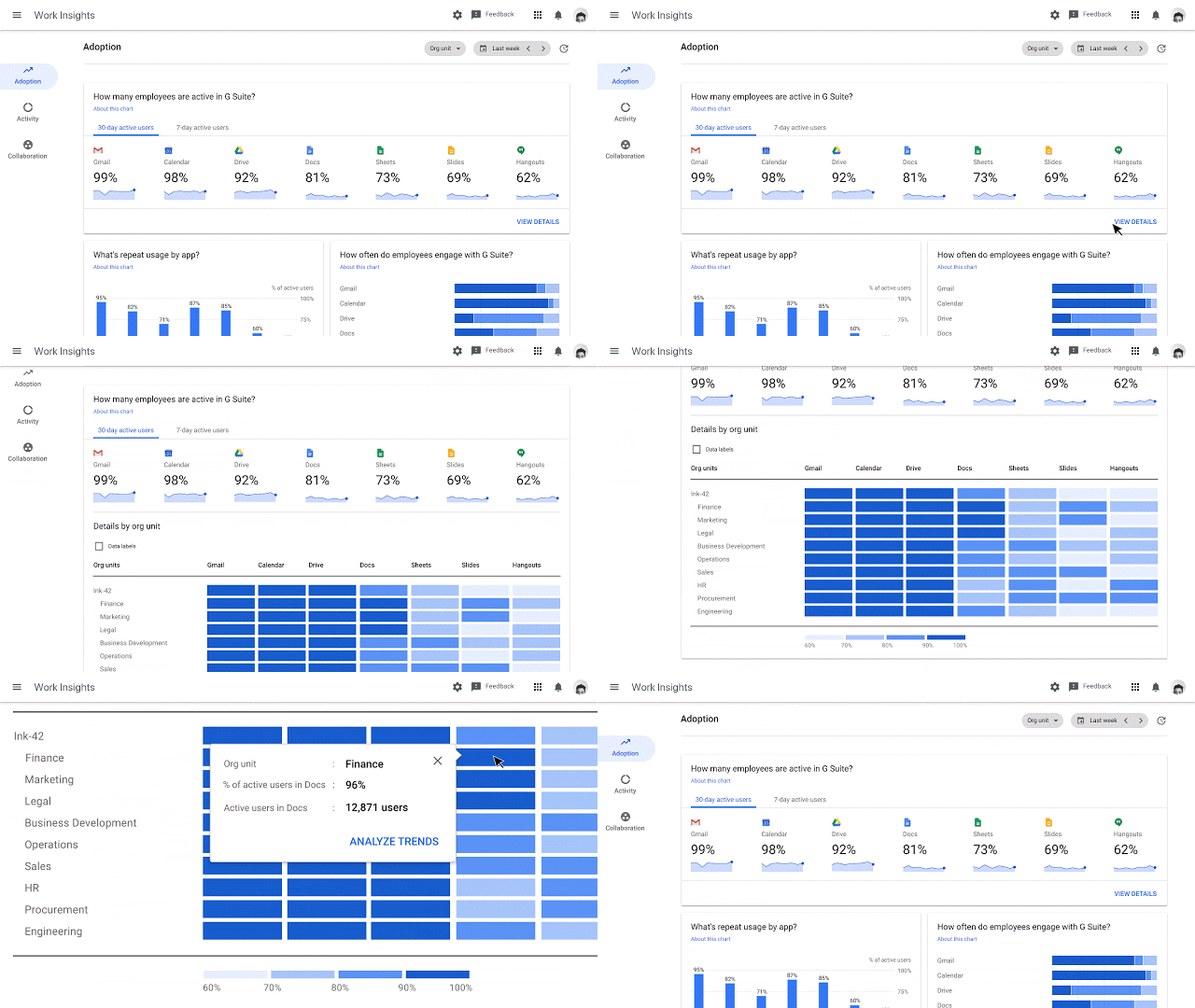
This can be great news for admins that are introducing Google Workspace to an organization because they can see the adoption rate as well as areas where teams might need more training. For example, if the finance team aren’t using Meet so often, you could potentially see if they are turning to shadow apps or are just not sure how to use the tool, and then launch initiatives to help with adoption.
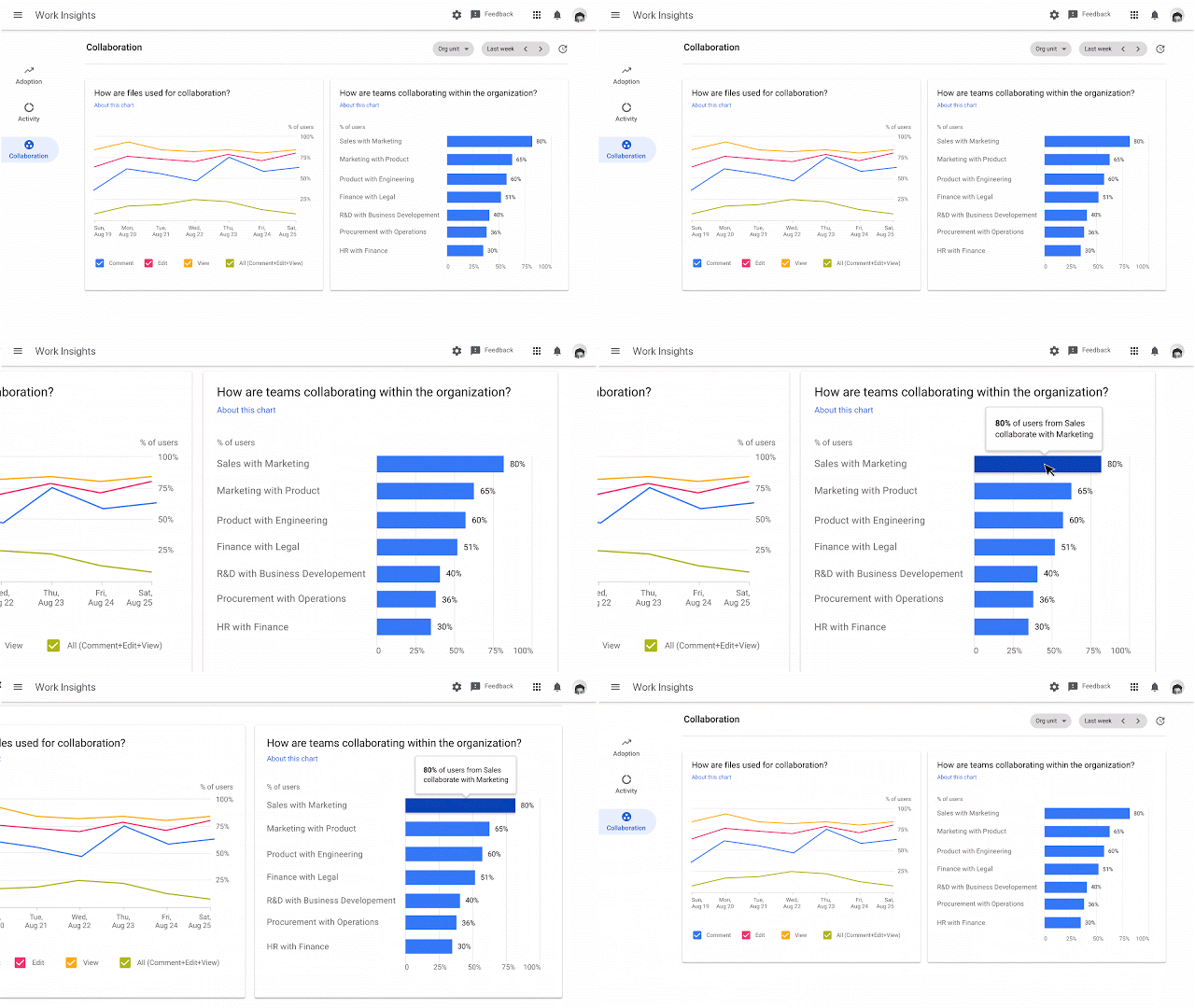
Not only does the new Work Insights tool give you a great view of app usage, but it also shows how well certain teams are collaborating with others. Google says this will help executives identify and combat silos. The dashboard shows the percentage of users in the Marketing team that collaborate with Sales for example, even surfacing graphs to show patterns over time. I have a strong feeling that there will be lots of collaboration with IT support across the board.
Of course the caveat here is that you can only gather insights for teams of more than 10 people, and it is unclear yet as to how these teams are identified. Options could be that it is divided by Google Groups, or (most likely) by the job title and team information that is attached to each user profile. This means you should probably check this info is all accurate before exploring Work Insights.
Google is also launching their investigation tool in the Google Workspace Security Center, while this has been teased before - it’s great to see this come to fruition. In short, the tool allows much more flexibility with identifying issues that might raise heart rates within data security teams. To combat files being shared externally, admins can now use advanced discovery tools and remote permission editing to find and rectify issues.
While extra tools like this are always a welcome addition, it seems to be only useful to larger organizations right now. Work Insights for Google Workspace is now in beta, so you should see it being pushed to your organization as soon as the bugs have been ironed out.
While we're talking analytics, you can also combine these cool new tools such as Work Insights from Google with the ability to integrate Google Analytics with Happeo. Giving your team the insights they need about company-wide adoption. Feel free to check out this article about how to use analytics to measure your intranet success here.
In case you have used Google's Work Insights (or something else) to discover some silos, perhaps Happeo could be your solution. Our platform uniquely links your Google Workspace tools into one digital hub for collaboration, communication and productivity. For more information, download our Intranet Comparison Guide, or get in contact and we'll be very happy to tell you how Happeo has been changing the way organizations work together.
Google Work Insights is a new tool designed for Google Workspace administrators to obtain a holistic, team-level overview of digital tool usage and productivity levels across their organisation. Rather than acting as a surveillance system to monitor individual employees, it provides aggregates that help admins understand how different departments adopt various software applications.
This tool is particularly valuable for businesses introducing Google Workspace, as it highlights overall adoption rates and pinpoints departments that might require extra training. For instance, if an administrator notices that the finance team rarely utilises Google Meet, they can investigate whether those employees are turning to alternative, unapproved software or if they simply do not know how to operate the system. This allows the organisation to launch targeted training initiatives to boost confidence and software adoption.
Furthermore, Work Insights reveals how effectively different teams are collaborating with one another, which helps executives identify and break down departmental silos. The dashboard displays the percentage of users in one team, such as Marketing, who are actively collaborating with another team, like Sales, and visualises these interaction patterns over time. This data-driven approach assists leaders in fostering a more cohesive and connected workplace environment.
Are there any specific requirements or limitations to use Work Insights?Yes, there are specific structural requirements for utilising Work Insights, with the main caveat being that you can only gather analytics for teams containing more than ten people. This limitation ensures privacy and focuses the data strictly on high-level team dynamics rather than individual tracking. It is currently unclear exactly how Google identifies these specific teams within the system.
It is highly likely that Google divides these groups based on job titles and team information attached to individual user profiles, or through established Google Groups. Because of this, organisation administrators should ensure that all user profiles, job roles, and department listings are fully accurate and updated in the system directory before they begin exploring the Work Insights platform. Doing so ensures that the generated collaboration reports and usage charts are accurate.
Additionally, because the Work Insights tool is currently in its beta testing phase, it is not yet fully rolled out to every single user or organisation. It is expected to be pushed out to more organisations gradually as any remaining bugs are ironed out by Google. The utility of the tool at this stage seems primarily geared towards larger organisations with substantial team structures.
What is the new investigation tool in the Google Workspace Security Center?Google has launched an advanced investigation tool in the Google Workspace Security Center to help data security teams manage and secure files more flexibly. This tool was teased previously and has now been brought to fruition to address common digital security concerns. It is specifically designed to identify potential security issues and prevent files from being shared outside the company.
To combat external sharing risks, administrators can use the tool’s advanced discovery features and remote permission editing capabilities. If a sensitive file is detected as being shared externally, the security team can quickly locate the file and change its sharing permissions remotely. This proactive approach helps security teams swiftly rectify accidental leaks or unauthorized access, significantly lowering data security risks.
This investigation tool represents a welcome addition for security personnel, providing them with granular control over company data. While it is currently most useful to larger enterprises with dedicated security departments, it provides crucial peace of mind. By combining this security tool with the analytics from Work Insights, companies gain a much safer, highly transparent digital working environment.
