









Introducing Happeo’s Full Branding add-on


4 mins read
How visible is your (employer) brand? Can your colleagues look at a set of colors and tell you which belong to your organization? How about outside of your office?
Your brand is much more than a combination of colors, fonts and values. However, if you want to reach that deeper level of understanding, the superficial first needs to be clear. Everywhere. That includes your company’s digital (work)space. That’s why we’re taking our already-rich customization one step further. Meet our Full Branding Add-on.
Custom login page
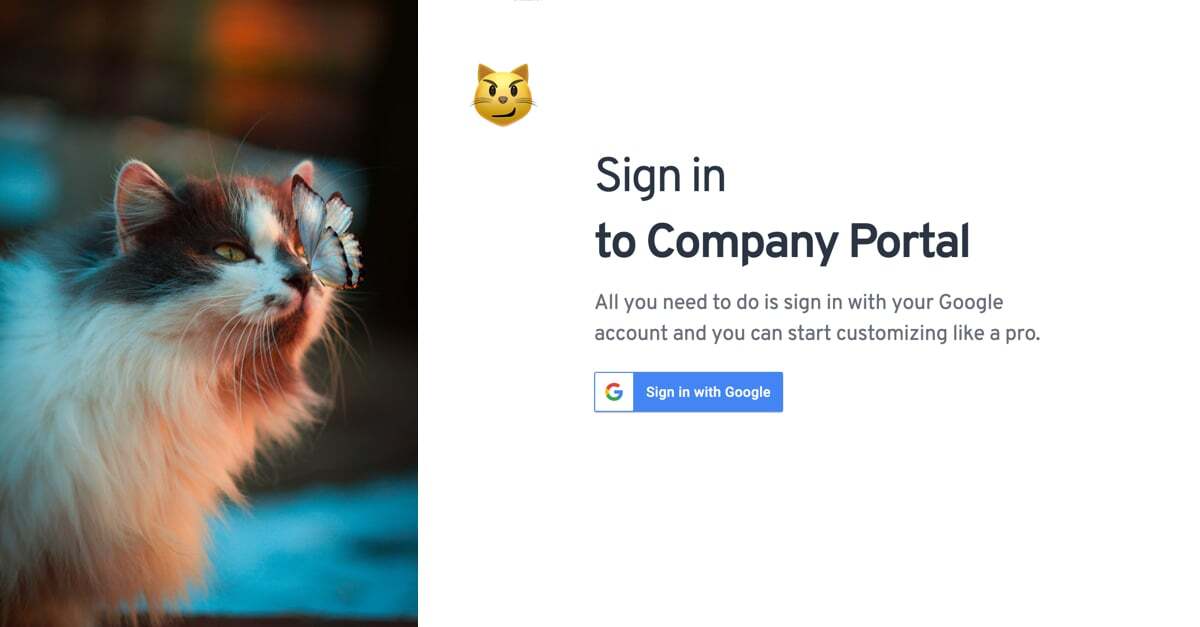
You’ve probably dealt with office branding before. One of the most important parts? The signage outside and on the doors as you come in. A custom login page works much the same – it allows your employees to see a branded environment before they’ve even logged in. Change your picture, description text, login prompt and add your logo. That’s what you’d call a quick win.
Custom URL
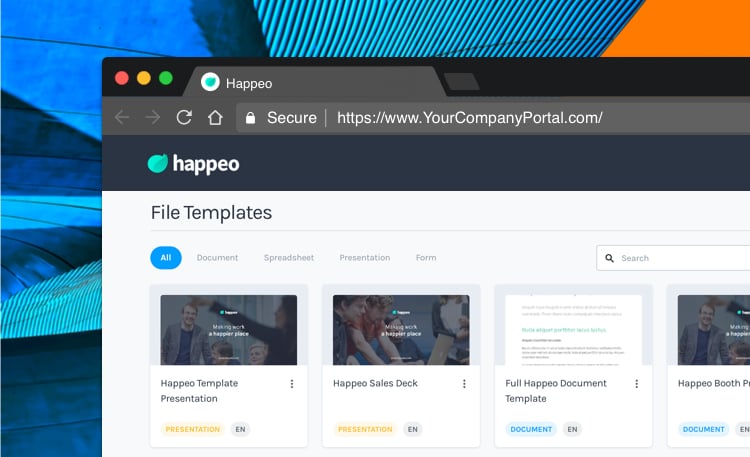
The URL you use to access your Happeo environment is the most present, consistent way to enforce your brand. Whatever you’re looking at in Happeo, it will always be there at the top of your browser bar! Some of our customers chose a simple URL with their company name in it. Others chose to brand the platform with its own unique name. Whatever you choose, that little extra flavor goes a long way to brand compliance.
Custom notification emails (ETA 1 month)
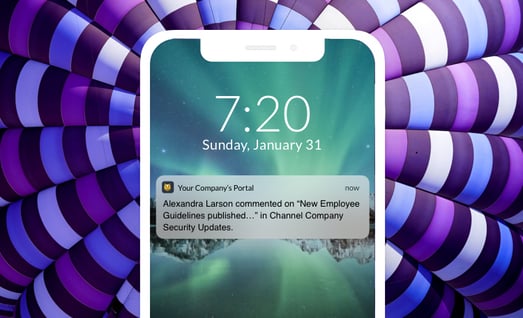
Happeo can send its users an email to notify them of new posts. Another chance to showcase your brand to those inbox-addicts! Happeo’s custom notification emails allow you to change the logo in those emails, as well as the click-through button’s color and font, headline-text color and the email subject line.
The whole is more than the sum of its parts
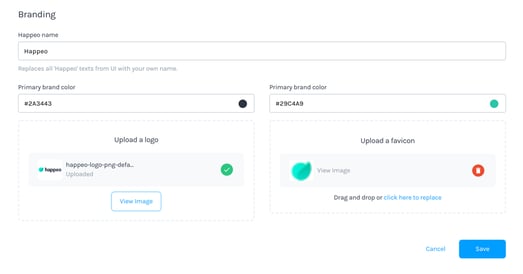
The Full Branding add-on brings several touch points for your brand together in one package. Combine it with your brand’s colors and logo in the platform, and you’ve created a scalable approach to your internal branding.
What features are included in the Happeo Full Branding add-on?The Happeo Full Branding add-on is a comprehensive package designed to bring multiple touch points of your employer brand together in one scalable solution. It takes the platform’s existing customisation capabilities much further by allowing organisations to establish a highly visible digital workspace. The primary features included in this bundle are a fully customisable login page, a custom URL, and personalised notification emails.
By combining these elements with your organisation’s specific brand colours and logo inside the main platform, you can create a cohesive internal branding strategy. This ensures that your brand identity is consistently presented to your colleagues, helping to reinforce your corporate values, fonts, and visual aesthetics. Rather than just offering superficial design changes, the add-on helps turn your digital intranet into a recognisable digital home.
With these tools, you can ensure that your brand is visible both inside and outside your physical office doors. The add-on facilitates a deeper level of understanding of your brand among your staff by making sure your corporate identity is clear everywhere. It offers a scalable approach to internal branding, combining several distinct features into a single, cohesive package that makes your company’s virtual workspace entirely your own.
How can we customise the login page and URL for our company’s platform?You can customise both your login page and your platform’s URL to create a highly branded entrance and a continuous brand presence for your employees. The custom login page functions similarly to physical signage on your office doors, serving as the very first brand environment your staff encounters before they even log in. To set up this quick win, you are able to change the background picture, customise the description text, alter the login prompt, and prominently display your official corporate logo.
Once your employees have logged in, the custom URL acts as the most consistent and present way to enforce your brand identity within the digital workspace. Because the browser’s address bar is always visible at the top of the screen, having a tailored URL ensures your brand is constantly on display. You have complete flexibility in how you choose to structure this web address to match your compliance guidelines.
Some organisations prefer to keep things simple by using their actual company name in the URL string, while others prefer to brand their Happeo platform with its own unique, creative name. Whichever path you choose to take, this extra touch goes a long way toward ensuring complete brand compliance. It provides a highly polished, professional experience that reinforces your internal identity every single time a user accesses the platform.
In what ways can we brand the notification emails sent to our employees?The Full Branding add-on allows you to customise the automated notification emails that Happeo sends to alert your users about new posts. Since many employees are highly active in their inboxes, these notification emails present an excellent opportunity to showcase your employer brand outside of the main platform. The add-on gives you extensive control over the visual identity of these messages to ensure they align perfectly with your corporate guidelines.
Specifically, you can replace the default branding by changing the corporate logo featured at the top of these emails. You also have the ability to alter the colour and the font of the primary click-through button, which helps drive engagement back to your intranet. Furthermore, you can customise the headline-text colour to match your official palette, and you can rewrite the email subject line to reflect your company’s unique tone of voice.
By modifying these key visual and textual elements, you turn standard system alerts into highly branded, recognisable communications. This level of customisation ensures that even when your employees are working out of their email inboxes, they are still experiencing a consistent brand environment. It bridges the gap between your digital workplace platform and external communication channels, creating a unified and professional experience for your entire workforce.
