









Your Intranet – Your Rules


4 mins read
Every company is unique! At Happeo we don’t believe in cookie cutter intranets – the intranet should be the backbone of the organization and reflect the culture and identity of each individual company.
That’s why companies should also be able to choose the intranet model that supports their organization the best.
We are happy to announce that Happeo has now expanded the possibilities to customize your Happeo and take communication to another level! Our latest release includes two new major improvements: home page setup and Pages prioritization.
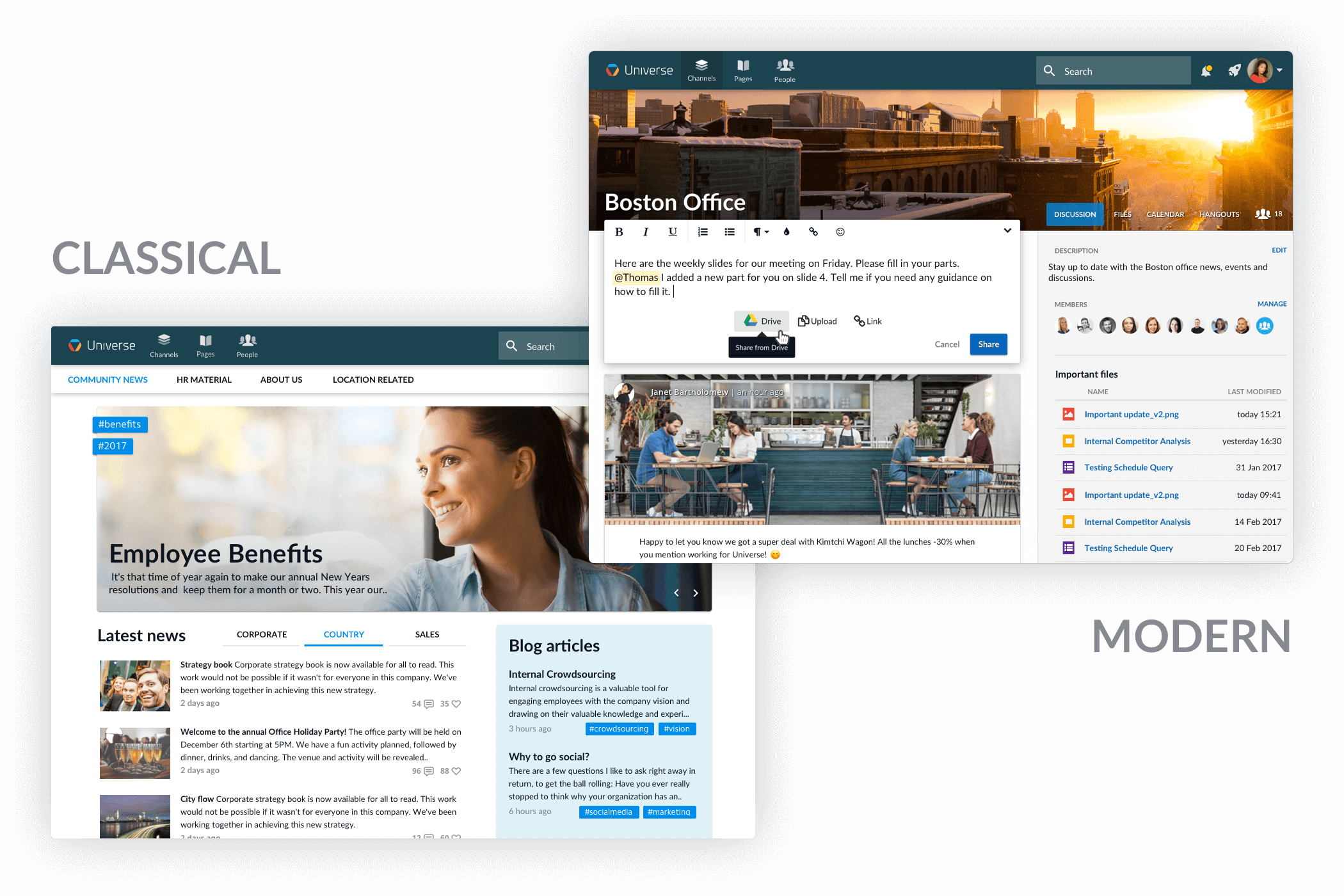
Home page setup gives administrators the power to choose where the user first lands when opening Happeo. We refer to the different home page options as the modern and classical approach.
The modern intranet approach brings enterprise social to the forefront of Happeo. The homepage resembles the social media platforms that we love using in our private lives. Activity feeds keep users up to date with all the latest posts, comments and documents being shared in Channels, the virtual workplaces, they are members of. In this model, the intranet is really built around the employees, their daily work and the content they find most important.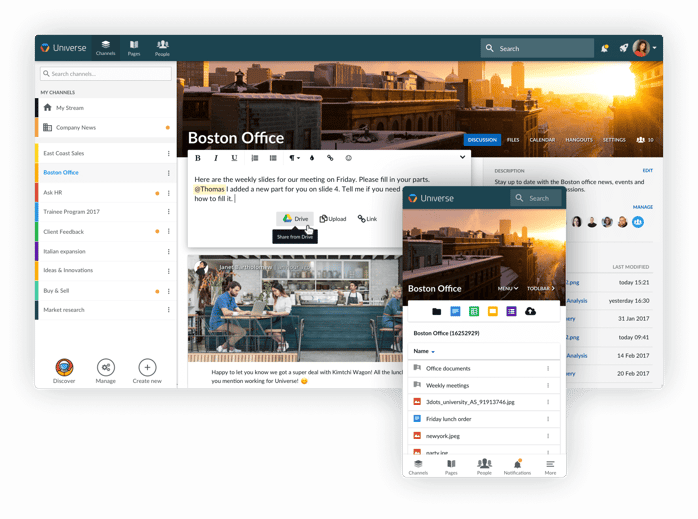
If keeping your employees well-informed is your primary goal, the classical intranet might be the best option for you. Having a landing page that is built with our Pages content management system gives you endless possibilities when it comes to the customization and visualisation of your brand. The classical approach gives your communication gurus more power to prioritize which news the users should be seeing when they enter their Happeo. The same social elements are still there, but the user is guided to them through an informative landing page.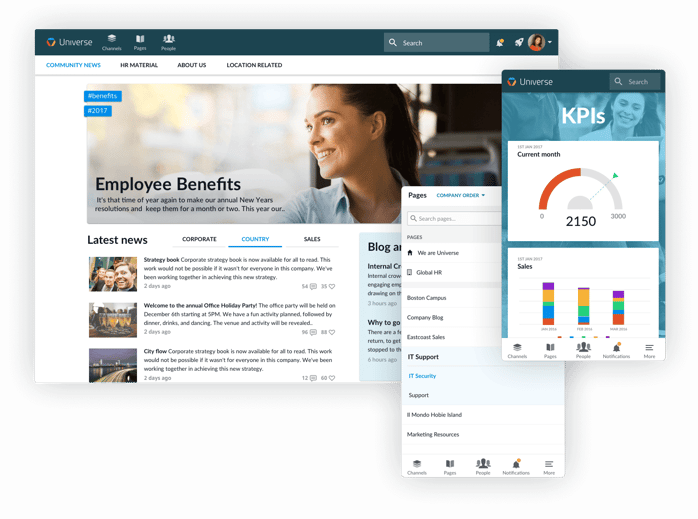
The second part of the release, pages prioritization, lets administrators rank company pages by importance. Are your employees always accessing the HR pages? Make them primary! If IT Support is also popular – make it a secondary page. Primary and secondary pages are distinguished from other pages so employees can quickly and easily access the things they need most.
It’s your intranet so it should be your rules. You choose what works for your company and your specific needs. And if you want to talk it over with us, we’re always here to help!
What is the difference between a modern and classical intranet setup in Happeo?The main difference between these two setups lies in what employees see first when they open the platform, allowing organisations to choose between a social-first experience or a traditional, structured homepage. This choice ensures companies can align their digital workspace with their unique internal communication goals and company culture.
In the modern intranet setup, the platform places enterprise social interaction at the very forefront. The homepage is designed to resemble the popular social media networks that people enjoy using in their personal lives. Users are immediately greeted with dynamic activity feeds that display the latest posts, comments, and documents shared within their Channels, which act as virtual workplaces. This model is built entirely around individual employees, prioritising their daily work, peer interactions, and the specific content they find most relevant.
In contrast, the classical intranet setup is ideal for businesses where keeping staff well-informed through structured corporate communication is the primary objective. Instead of a social feed, the landing page is created using a content management system, offering extensive options for branding, customisation, and visual design. This approach gives internal communication teams greater control over information distribution, allowing them to decide exactly which news and updates employees see first, while still guiding them towards social elements.
How can administrators prioritize important pages in Happeo?Administrators can rank company pages by importance using the new prioritisation features, ensuring employees can find vital information and resources without unnecessary searching. This feature gives administrators the flexibility to categorise pages as either primary or secondary, depending on what their workforce needs to access most frequently for their day-to-day operations. This helps to prevent information overload by highlighting only the most relevant hubs.
For example, if staff members are constantly looking for policy updates, benefits information, or annual leave forms, the human resources portal can be set as a primary page. Similarly, if the IT helpdesk is another highly frequented area for troubleshooting and support tickets, administrators can designate IT Support as a secondary page to keep it easily accessible for everyone.
By setting these priorities, primary and secondary pages are visually distinguished from the rest of the site’s content. This clear distinction helps to streamline the overall user experience, making it incredibly simple for employees to navigate directly to the most critical business tools and departments. Ultimately, this customisation ensures that the intranet adapts to the specific workflows of the company, rather than forcing employees to adapt to a rigid platform layout. It puts the company in control of its own digital home.
How does the modern intranet layout support employee engagement?The modern intranet layout supports employee engagement by mimicking the familiar, interactive design of popular social media platforms to encourage natural communication and collaboration across the workforce. By placing enterprise social features at the very centre of the homepage, the modern setup helps employees stay connected with their colleagues and the wider company culture, making communication a natural part of their daily routine.
When users log in, they are immediately greeted with a personalised activity feed. This feed displays a real-time stream of posts, comments, questions, and shared documents from the various Channels, or virtual workspaces, that they are members of. This design makes the intranet feel active and collaborative, rather than just a static, one-way repository for corporate documents and forms.
This layout shifts the focus of the intranet from traditional, top-down announcements to an employee-centric model built around daily workflows. Because the homepage prioritises peer-to-peer interactions and team updates, staff are much more likely to participate in discussions, share knowledge, and collaborate on projects. By presenting relevant updates as soon as a user opens the platform, the modern layout reduces the barrier to interaction, helping remote and hybrid teams feel more integrated and ensuring that important project updates, team achievements, and social conversations are always visible and easy to join.
