









Internal Communications Calendar: How to Plan 2026 Comms That Actually Get Read




Sophia Yaziji
19 mins read
An internal communications calendar is a strategic planning tool that helps organizations schedule, coordinate, and deliver employee-facing messages throughout the year. It serves as a single source of truth for everything from CEO announcements to benefits enrollment reminders, ensuring that employees receive the right information at the right time through the right channels.
If you’re responsible for keeping employees informed—whether you sit in communications, HR, or people operations—this guide will help you build a 2025 internal comms calendar starting now and running through December 2025. We’re talking about a practical, usable system you can translate into Excel, Google Sheets, or your intranet calendar today.
The pain points are familiar: a last-minute CEO email that crashes into an IT security announcement, conflicting messages from HR and Operations landing on the same Tuesday morning, and employees missing key updates like open enrollment deadlines or policy changes because they’ve learned to tune out the noise. These problems aren’t inevitable. They’re symptoms of planning without a calendar.
A well-structured communications calendar delivers real benefits: fewer message clashes, clearer strategic priorities, better employee experience across hybrid and frontline teams, and communications that actually support the business instead of just filling inboxes.
What this article covers:
- How to define an internal communication strategy before you start filling in dates
- Aligning your calendar with real business priorities, not just “things to announce”
- Setting measurable objectives that prove the value of internal comms
- The key components every calendar needs
- Building in review, feedback, and flexibility
- Anchoring your calendar with fixed dates and coordinating across departments
- Choosing the right tools and maintaining consistency
- A practical quarter-by-quarter 2025 example you can adapt
Step 1: Define Your Internal Communications Strategy for 2025
Having a calendar is not the same as having a strategy. A calendar is a container; a strategy is what gives that container purpose. Before you start plotting dates and drafting subject lines, you need to be clear about what your internal comms are actually trying to accomplish in 2025.
Internal communications should do more than push updates. They should support culture, build trust, and create clarity around work. Your strategy is your north star—it tells you which messages matter, which can wait, and which shouldn’t exist at all.
Consider these concrete strategic focuses that might shape your 2025 messaging:
- Hybrid work norms: If your organization is still defining where, when, and how people work, communications need to reinforce expectations and celebrate what’s working
- Digital transformation: Major system changes require sustained communication campaigns, not one-off announcements
- DEI and belonging: Authentic storytelling and leadership visibility around inclusion priorities
- Cost discipline or efficiency: Transparent updates about resource allocation, strategic trade-offs, and how employee input shapes decisions
Here’s an example of a strategic IC statement: “In 2025, our internal comms will help every employee understand where we are headed, how we’re performing monthly, and how their role contributes to our success.”
The specifics vary by industry. A manufacturing company emphasizes safety and compliance in every communication stream. A SaaS company prioritizes innovation storytelling and product roadmap transparency. A healthcare organization focuses on patient outcomes and staffing stability. Your strategy should reflect your sector’s realities.
Questions your employees should be able to answer thanks to your internal comms:
- What are the top 3 company priorities for 2025?
- How is the company performing against those priorities?
- What’s changing in the next quarter that affects my work?
- Where can I find help or more information when I need it?
Step 2: Align the Calendar with Business Goals (Not Just “Things to Announce”)
Internal comms isn’t a bulletin board. It’s a strategic tool that directly affects business outcomes like revenue, customer satisfaction, retention, and productivity. The difference between a useful comms calendar and a chaotic one often comes down to whether communications are anchored in real business priorities.
Start by translating 2025 business goals into communication themes and campaigns. Don’t wait for announcements to happen—map them proactively to the goals they support.
Example mapping:
|
Business Goal |
Communication Theme |
Sample Content |
|---|---|---|
|
Grow ARR by 15% |
Customer obsession |
Quarterly “Voice of the Customer” stories, monthly service tips |
|
Reduce voluntary turnover by 3% |
People and culture |
Manager spotlights, career development updates, stay interview results |
|
Improve on-time delivery by 5% |
Operational excellence |
Weekly ops dashboard, recognition of frontline teams hitting targets |
Your internal comms team should be involved in annual and quarterly planning cycles. If leadership holds Q1, Q2, Q3, and Q4 offsites, someone from comms should know what’s being decided and when milestones will be communicated.
Business inputs to review when building your calendar:
- 2025 OKRs and strategic priorities
- Product launch roadmap and major release dates
- Change programs (system implementations, restructures, office moves)
- Hiring plans by quarter and region
- Major risk areas the executive team is monitoring
Why Alignment Matters for Employees Day-to-Day
When internal comms align with business strategy, employees get a narrative spine instead of random news. They can connect the dots between a Monday email about customer retention and the Wednesday recognition post celebrating a support team’s quick resolution.
Aligned messages look like this:
- Monthly business performance updates that show progress against stated goals
- Project milestone announcements that explain impact on customer experience or efficiency
- Success stories explicitly tied to company values and strategic priorities
This alignment matters especially for frontline workers—store staff, drivers, nurses, warehouse teams—who often feel disconnected from headquarters strategy. Aligned comms help them see how their daily tasks contribute to the bigger picture, not just office employees with access to leadership town halls.
Alignment also reduces noise. When you have a clear strategic filter, you can trim or combine low-value updates that don’t support business goals.
Building Business Fluency as an Internal Communicator
Internal communicators and HR leaders need basic financial and operational literacy to create credible messaging. You don’t need an MBA, but you should understand terms like EBITDA, churn rate, utilization, and safety incident rate in your organization’s context.
Concrete actions to build business fluency:
- Attend monthly leadership meetings, even as an observer
- Request access to quarterly board decks or investor updates
- Schedule a 60-minute “Business 101” session with Finance to understand revenue streams and cost drivers
- Ask Operations leaders to walk you through their key metrics
Questions you should be able to answer:
- Where does our profit actually come from?
- What worries the CFO most about 2025?
- Which customer segments or products are growing versus declining?
- What operational metrics does leadership review weekly?
Business fluency gives you a stronger seat at the table. It helps you time messages appropriately, ask better questions in planning meetings, and write content that resonates with employees who understand the business realities.
How to Build Alignment into the Calendar Structure
Every calendar entry should include a field for “linked business goal or priority.” This simple addition transforms your calendar from a schedule into a strategic tool.
Example row in a spreadsheet-based calendar:
|
Date |
Audience |
Message |
Channel |
Owner |
Goal/OKR |
Desired Action |
Status |
|---|---|---|---|---|---|---|---|
|
15 April 2025 |
All employees |
Q1 results + Q2 priorities |
All-hands + email |
CEO/IC team |
Transparency & trust |
Understand company direction |
Scheduled |
Cluster content by business themes across months. For example, April through June might emphasize “Customer Obsession” with related stories, metrics, and recognition. July through September might shift focus to “Operational Excellence” as the team prepares for peak season.
Recommend a monthly 30-45 minute alignment review with stakeholders from HR, IT, Operations, and Marketing. This meeting ensures upcoming messages still support the latest priorities and catches potential clashes before they happen.
Step 3: Set Clear, Measurable Objectives for the Calendar
Objectives link your calendar to both communication performance and business impact. Without them, you’re just sending messages and hoping something sticks.
Specific objective examples for 2025:
- Increase average open rate of all-company emails from 55% to 65% by September 2025
- Reach 90% participation in the October 2025 employee engagement survey
- Achieve 80% attendance at quarterly all-hands meetings (up from 68% in 2024)
- Reduce “I didn’t know about this” feedback on policy changes by 50%
- Ensure 95% of frontline workers receive weekly updates through the mobile app
Track both quantitative metrics (opens, click throughs, attendance, intranet visits) and qualitative metrics (sentiment from pulse surveys, manager feedback, focus group insights).
Set per-channel objectives based on what each channel is designed to achieve:
- All-hands meetings: Attendance rate, post-event engagement scores, question volume
- Monthly newsletters: Open rate, click-through rate, time spent reading
- Collaboration tools: Message reach, reaction rates, thread participation
- Frontline apps: Daily active users, content views, task completion
KPIs to track monthly and quarterly:
- Average time to read critical policy updates
- Percentage of frontline workers reached by important updates
- Employee sentiment on communication quality (from pulse surveys)
- Volume of “I didn’t know” or “I was confused” feedback
- Manager confidence in cascading key messages
Step 4: Identify the Key Components of Your Internal Comms Calendar
Think of your calendar as the score for an orchestra—different parts playing together to create one coherent performance. Every instrument needs to know when to come in and what to play.
Minimum data fields every internal comms content calendar should have:
- Date and time
- Target audience (all employees, specific region, department, frontline only)
- Communication channel (email, intranet, digital signage, town hall, chat)
- Owner (who’s responsible for drafting and sending)
- Message title and purpose
- Linked goal or OKR
- Status (draft, in review, approved, sent, complete)
- Measurement method
Balance recurring “drumbeat” communications with ad-hoc updates. The drumbeat creates predictability—employees know when to expect the monthly CEO note or the quarterly all-hands. Ad-hoc updates fill in around these anchors.
Typical calendar rows that should always be present:
- First Monday of each month: CEO update email
- Second Tuesday: Product roadmap update (for relevant teams)
- Third Wednesday: HR benefits or policy update
- Last Thursday: Employee recognition roundup
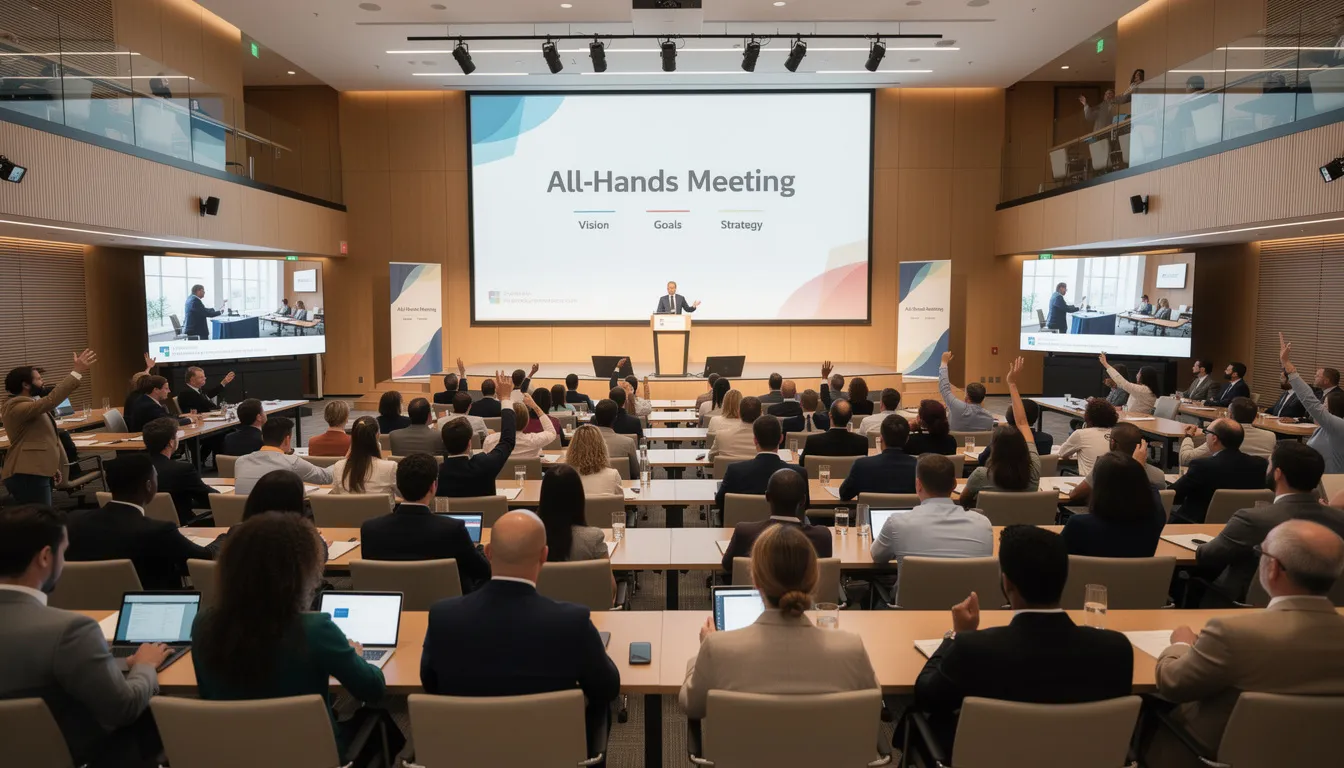
- Quarterly: All-hands meeting with Q&A
- Quarterly: Culture and values stories
Core Types of Messages and Channels
Message categories with examples:
- Need-to-Know: Security patch deployment on 15 April 2025 (email + Slack alert)
- Business Updates: Q2 financial results summary (all-hands + intranet)
- Culture: Pride Month employee stories in June 2025 (newsletter + social wall)
- HR & Benefits: Open enrollment reminder in October (email + digital signage + manager cascade)
- Learning: New compliance training available (email + LMS notification)
- Recognition: Monthly top performers (newsletter + team chat channels)
Channel matching guidance:
- Policy changes → Email + intranet FAQ for reference
- Cultural stories → Newsletter + internal social wall
- Urgent IT issues → Slack/Teams alert + digital signage
- Leadership vision → Town hall + follow-up email summary
- Frontline updates → Mobile app push notification + pre-shift briefing

Defining Responsibilities and Ownership
Clear ownership prevents last-minute chaos. Every calendar entry needs a name attached—not “HR team” but “Sarah Chen, Benefits Manager.”
Create content leads in HR, IT, Operations, and regional sites. Each lead is responsible for their area’s entries and deadlines. They gather information, draft content, and ensure submissions reach the central comms team on time.
Example ownership model:
- Central IC team curates the calendar and manages the overall schedule
- Departments submit requests via a simple form at least 10 business days in advance
- The IC team reviews for conflicts, brand consistency, and timing
- Sign-off for sensitive topics (legal, HR, security) routes through designated approvers
- Status column in the calendar tracks where each message sits in the workflow
Assign responsibilities clearly. When everyone owns something, no one owns it.
Step 5: Build in Review and Feedback Mechanisms
Your internal comms calendar is a living document, not a one-time plan carved in stone. Building a feedback loop into your process ensures the calendar gets smarter over time.
Establish a monthly review ritual—for example, the first Thursday of each month. During this 45-minute session, the comms team checks:
- What messages landed well (high engagement, positive feedback)
- What clashed or caused confusion
- What to repeat, refine, or drop
- Upcoming priorities for the next 4-6 weeks
Simple feedback mechanisms to implement:
- Quick pulse polls after major campaigns (“Was this helpful? Too long? About right?”)
- Comment fields enabled on intranet posts
- A standing “Feedback” section in the monthly newsletter inviting suggestions
- Regular check ins with managers to understand what employees are asking about
Examples of adjustments based on feedback:
- Employees said emails were too long → Reduce to 150 words max with “read more” links
- Shift workers missed weekly updates → Move to pre-shift briefings on the frontline app
- Multilingual workforce struggled with English-only content → Add translations for key locations
- Tuesday morning sends had low opens → Test Thursday mid-morning instead
Log learnings directly in the calendar. Add a “Notes/Learnings” column and update it after each major campaign. This creates institutional memory that helps the next person who takes over the calendar.
Step 6: Anchor the Calendar with Fixed Dates and Events
Fixed dates form the backbone of your calendar. Plot these first for the entire year, then layer everything else around them.
Fixed internal dates to map:
- Quarterly all-hands meetings (e.g., mid-February, May, August, November 2025)
- Performance review cycles and manager deadlines
- Open enrollment period (typically October/November)
- Annual compliance training windows
- Fiscal year close and annual planning season
- Company anniversary or founding day
External dates to consider (choose selectively):
- International Women’s Day (8 March 2025)
- Pride Month (June)
- Mental Health Awareness Week (May, dates vary by region)
- Cybersecurity Awareness Month (October)
- Industry-specific awareness days relevant to your sector
Don’t try to acknowledge every awareness day. Pick the ones that align with your company values and business priorities. Employees tune out when everything becomes a “special day.”
Building a Q2 2025 anchor grid:
Start with your April through June fixed dates—perhaps the May all-hands meeting and any regulatory deadlines. Note external dates like Mental Health Awareness Week. Then layer in monthly recurring elements (CEO note, recognition roundup). Finally, add campaign-specific content like a mid-quarter business update or a summer hiring push announcement.
Mapping Change and Transformation Programs
Large change initiatives—an ERP rollout in September 2025, an office move in June 2025, a new customer portal in Q3—must be mapped early. These programs generate multiple communications over several months and can overwhelm employees if not coordinated carefully.
Plot change program milestones:
- Announcement and rationale (why this change, why now)
- Training windows and resources available
- Cut-over date and what employees need to do
- Reinforcement communications and success stories post-launch
Example timeline for an office move (June 2025):
|
Month |
Communication Focus |
|---|---|
|
March |
Announcement: why we’re moving, new location details, timeline |
|
April |
Logistics: packing instructions, FAQ, desk allocation process |
|
May |
Preparation: final reminders, transportation options, first-day details |
|
June |
Go-live: welcome to new office, troubleshooting support, celebration |
|
July |
Reinforcement: feedback collection, what we learned, ongoing support |
Consult project managers and transformation leads quarterly to update dates in the calendar. These programs often shift timelines, and your comms calendar needs to adjust based on the latest plans.
Coordinating with HR, IT, and External Communications
Sync your internal comms calendar with HR (policy changes, benefits, recognition programs), IT (system updates, outages, security patches), and external comms (product launches, PR announcements, new markets entry).
Process suggestion:
- 30-minute standing meeting every 4 weeks with department heads
- Shared intake form requiring minimum 2-week notice for major campaigns
- A “blackout dates” list where no routine announcements should compete (e.g., layoff announcements, major outages)
Avoid clashes like announcing a new expense policy on the same day as layoffs or scheduling a “fun” culture campaign during a major system outage.
Coordination artifacts that help:
- Shared roadmap document accessible to all stakeholders
- Joint release calendar showing both internal and external comms
- Quarterly alignment workshop to review the next 90 days
Step 7: Choose and Set Up the Right Tools for Your Calendar
Start simple. Choose tools your organization already uses before investing in new platforms.
Common formats compared:
|
Format |
Best For |
Pros |
Cons |
|---|---|---|---|
|
Excel/Google Sheets |
Smaller teams, getting started |
Free, familiar, easy sharing |
Limited automation, version control challenges |
|
Trello/Asana |
Visual teams, project management cultures |
Visual tracking, status workflows |
Learning curve, may feel like overkill |
|
Intranet-embedded |
Large organizations with existing intranet |
Integrated visibility, single source of truth |
Requires IT support, may lack flexibility |
Basic column structure for a spreadsheet calendar:
Date | Audience | Message Title | Channel | Owner | Linked Goal | Status | Notes
Use filters and views to slice by audience (frontline vs. office), region (EMEA vs. Americas), or channel (email only, all-hands only). This helps department heads see only what’s relevant to them.
Make the calendar read-only for most stakeholders. Provide a clear process for submitting updates or requests—a simple form works—to prevent chaos.
Minimum viable setup (get running in one afternoon):
- Create a Google Sheet with the basic columns above
- Plot your fixed dates for the next 6 months
- Add monthly recurring items (CEO note, newsletter, recognition)
- Share read-only with stakeholders
- Schedule your first monthly review meeting
Ensuring Visibility and Collaboration
Make the calendar easily discoverable:
- Pin it on the intranet landing page
- Link it in relevant Teams or Slack channels
- Reference it in monthly leadership meetings
- Include it in onboarding for new comms team members and department leads
Create two views: a summary view for executives showing the top 10 messages this month, and a detailed working view for the comms team with all fields visible.
Access rights guidance:
- Edit access: IC team members and calendar owner
- Comment access: Department content leads and stakeholders
- View-only access: Leadership, managers, anyone who needs visibility
Document simple “house rules” for how to use the tool:
- Always include target audience
- No acronyms in message titles
- Keep descriptions under 200 characters
- Update status within 24 hours of sending
Step 8: Build Flexibility and Buffer into Your Plan
Over-planning every day with no space for crises or breaking news is a recipe for stress. The world doesn’t care about your calendar, and things will happen that demand immediate communication.
Leave 10-20% of calendar capacity open each week for unplanned updates. If you typically send 10 messages a week, plan for 8 and keep 2 slots flexible.
When the calendar must flex:
- Regulatory news that requires immediate employee notification
- Sudden leadership changes (departures, promotions, restructures)
- Major incidents (safety, security, reputational)
- Unexpected market shifts or competitor actions
- Positive surprises worth celebrating quickly
Practical rules to prevent overload:
- Never schedule more than two company-wide emails on the same day
- Avoid big announcements on Fridays (employees tune out before weekends)
- Don’t schedule important updates right before public holidays
- Build in a 48-hour review period for any message going to 1,000+ people
Example of calendar flex:
A company had planned a “Summer Benefits Reminder” for Wednesday. On Tuesday, a security incident required immediate all-employee communication. The comms team moved the benefits reminder to the following Monday, updated the calendar status, and notified the HR stakeholder within an hour. Because they had built in buffer and had a clear ownership model, the pivot was smooth.
Step 9: Maintain Consistent Messaging and Tone Across the Year
Consistency builds trust. When employees see a familiar format and tone, they recognize official communications immediately and take them seriously. Inconsistent messaging—different subject line styles, varying sign-offs, erratic formatting—erodes credibility over time.
Use tone-of-voice guidelines, message frameworks, and simple templates for recurring formats:
- “From the CEO” template with consistent header, greeting, and sign-off
- “Security Alert” format with red banner and clear action steps
- “Benefits Update” structure with what’s changing, why, and what you need to do
Repeating structures that should look similar each time:
- All-hands agenda: Welcome, business update, spotlight feature, Q&A
- Monthly KPI dashboard: Same metrics, same visualization, same distribution
- Quarterly culture stories: Same format, different employees featured
Use shared document templates or intranet components so content creators can plug into a known structure. This reduces drafting time and ensures consistency even when different people create content.
Elements to standardize:
- Subject line format (e.g., “[Action Required]” prefix for mandatory items)
- Pre-header text length and style
- Section headers and hierarchy
- Sign-offs (who signs, what title)
- “Next steps” or “What you need to do” presentation (always at the end, always bullet points)
Step 10: Use Analytics and Feedback to Improve the Calendar Over Time
Analytics make your calendar smarter. This isn’t about micromanaging employees or punishing low engagement—it’s about learning what works and doing more of it.
Metrics to review monthly:
- Open and click-through rates by audience segment
- Attendance at live sessions (all-hands, webinars, training)
- Time spent on key intranet articles
- Mobile app log-ins and content views for frontline staff
- Reply rates on manager cascade emails
Example of using data to change timing:
A company noticed Friday afternoon weekly updates had a 42% open rate versus Tuesday morning updates at 67%. They shifted all routine updates to Tuesday morning and reserved Friday only for time-sensitive announcements. Open rates increased by 15% within two months.
Run simple A/B tests on subject lines or formats for big campaigns:
- Test “Q2 Results: What They Mean for You” versus “Company Update: Q2 Performance”
- Note results in a “learnings” section of the calendar
- Apply winning approaches to future campaigns
Combine quantitative data with qualitative feedback. Comments from managers, focus group insights, and pulse survey verbatims reveal why numbers move, not just that they moved. Use both to refine priorities for the next quarter.

Step 11: Forecast Future Communication Needs (Beyond 2025)
Comms leaders should look at least 12-18 months ahead, not just the next quarter. Forecasting reduces stress and helps you prepare for complex campaigns before they become urgent.
Create a simple “future ideas” tab or section attached to your calendar. Park potential 2026 campaigns or themes here as they emerge from business planning conversations.
Long-term trends to factor in:
- Automation projects that will affect workforce composition
- Office footprint changes (consolidations, expansions, remote-first shifts)
- Sustainability commitments with 2030 targets requiring employee engagement
- Evolving hybrid work policies that need ongoing reinforcement
Examples of how forecasting helps:
- A 2026 upskilling program is announced → Start planning a “skills of the future” series in late 2025 to build awareness
- A potential acquisition is on the horizon → Prepare a crisis comms template and FAQ structure now
- New markets expansion planned for 2026 → Begin developing multilingual communication protocols
Prompts to help you think ahead:
- What major initiatives are on the 18-month business roadmap?
- Which employee populations will grow or shrink significantly?
- What regulatory changes are coming that require workforce communication?
- Which systems or processes will employees need to learn?
- What does leadership want the company culture to look like in 2027?
Practical 2025 Internal Comms Calendar Example (Quarter-by-Quarter)
Here’s how a mid-size company—roughly 800-1,500 employees across office, frontline, and remote roles—might structure their 2025 internal comms calendar template.
Q1 (January-March 2025): Strategy and Alignment
Major themes: Annual strategy rollout, goal-setting, winter wellness
- January: Strategy kick-off all-hands (Week 2), CEO “Year Ahead” email, department goal-setting cascades
- February: Monthly CEO note, Valentine’s Day employee appreciation, manager town halls on strategy execution
- March: Q1 progress check-in, International Women’s Day stories, professional development week spotlight
- Recurring: Monthly CEO email (first Monday), weekly manager talking points, bi-weekly recognition roundup
Q2 (April-June 2025): Engagement and Growth
Major themes: Employee engagement survey, customer focus, summer preparation
- April: Annual engagement survey launch (Week 2), Q1 results all-hands, compliance training window opens
- May: Mental Health Awareness Week campaign, survey results preview, product roadmap update
- June: Pride Month stories and celebrations, summer operating hours announcement, mid-year professional development push
- Recurring: Monthly CEO email, quarterly all-hands (May), weekly frontline app updates
Q3 (July-September 2025): Operational Excellence
Major themes: Operational efficiency, back-to-school transitions, transformation programs
- July: Summer team spotlight series, Q2 results all-hands, ERP implementation kick-off communications
- August: Back-to-school flexibility policy reminder, monthly CEO note, ERP training communications
- September: ERP go-live support communications, Q3 preview, company anniversary celebration
- Recurring: Monthly CEO email, quarterly all-hands (August), manager cascades on operational priorities
Q4 (October-December 2025): Benefits, Security, and Celebration
Major themes: Open enrollment, cybersecurity, year-end recognition
- October: Open enrollment campaign launch, Cybersecurity Awareness Month, Q3 results all-hands
- November: Open enrollment reminders, Thanksgiving gratitude campaign, 2026 planning preview
- December: Year-in-review all-hands, holiday celebrations, annual awards and recognition, January 2026 preview
- Recurring: Monthly CEO email, quarterly all-hands (November), weekly updates through holidays
Throughout all quarters: Monthly CEO email on first Monday, recognition roundup every other Thursday, manager talking points every Friday, frontline app push notifications for key dates.
Adapt this example to your sector, workforce mix, and regional calendars. A global company needs to account for time zones and local holidays. A heavily frontline organization might emphasize mobile-first delivery methods.
Conclusion and Next Steps
A well-managed internal communications calendar connects strategy, people, and operations into a coherent narrative. It transforms random announcements into a planned communication experience that employees actually value and engage with.
Three ideas matter most: alignment with business goals ensures every message supports what the company is trying to achieve, disciplined planning around fixed dates and key dates creates predictability that employees appreciate, and flexibility informed by analytics and feedback keeps the calendar relevant as circumstances change.
Start this week checklist:
- Clarify the top 3 business priorities for 2025 with leadership
- List all fixed dates (all-hands, enrollment, compliance training, company milestones)
- Choose a calendar tool (Google Calendar, Sheets, or your existing project management platform)
- Set up basic fields: Date, Audience, Channel, Owner, Goal, Status
- Schedule your first monthly review meeting with the comms team
- Identify content leads in HR, IT, and Operations
Involve managers and employee representatives early so the calendar reflects real work, not just headquarters priorities. Your frontline teams have different information needs than your office workers. Your regional sites face different challenges than your head office. Build a calendar that acknowledges this shared visibility requirement.
Block 90 minutes in the next 7 days to sketch your internal comms calendar for the rest of 2025. Grab a colleague, pull up a blank spreadsheet, and start with your anchor dates. Layer in your recurring drumbeat. Identify the big announcements already on the horizon. Before that meeting ends, you’ll have a working draft that’s better than what most organizations operate with.
Your employees are waiting for clearer, more strategic communications. Your business strategy deserves communication that supports execution. Your comms team deserves a planning tool that reduces chaos and creates focus. Build that calendar template this week—your 2025 will be better for it.
