








Google Sites Alternatives (2026)



Sophia Yaziji
5 mins read


Product
Features
Happeo AI
Solutions
Happeo for
Use cases
Comparison
Resources
Explore
Support
Available now

Happeo For
Use cases
Comparisons
Explore
Support
Recent
Sophia Yaziji
5 mins read
Google Sites has a familiar appeal. It's free, it's already sitting inside Google Workspace, and building a page doesn't require a ticket to IT. That's exactly why so many companies end up with an internal wiki built in it almost by accident, usually started by someone who just needed somewhere to put a policy document and didn't want to wait for a proper project to get approved.
The trouble shows up later. Google Sites was never built to be a company-wide knowledge base. There's no real content governance, no way to see who owns a page once its creator moves teams, no people directory, and search is limited to whatever Google's basic indexing can manage. Organisations tend to notice the gap once the site has grown past a few dozen pages and nobody can find anything, or once an AI tool gets pointed at the site and starts confidently repeating whatever's gone stale.
This list looks at where teams outgrowing Google Sites tend to go next, starting with the option built specifically to solve that transition, and working through the rest of the field with an honest look at where each one actually fits.
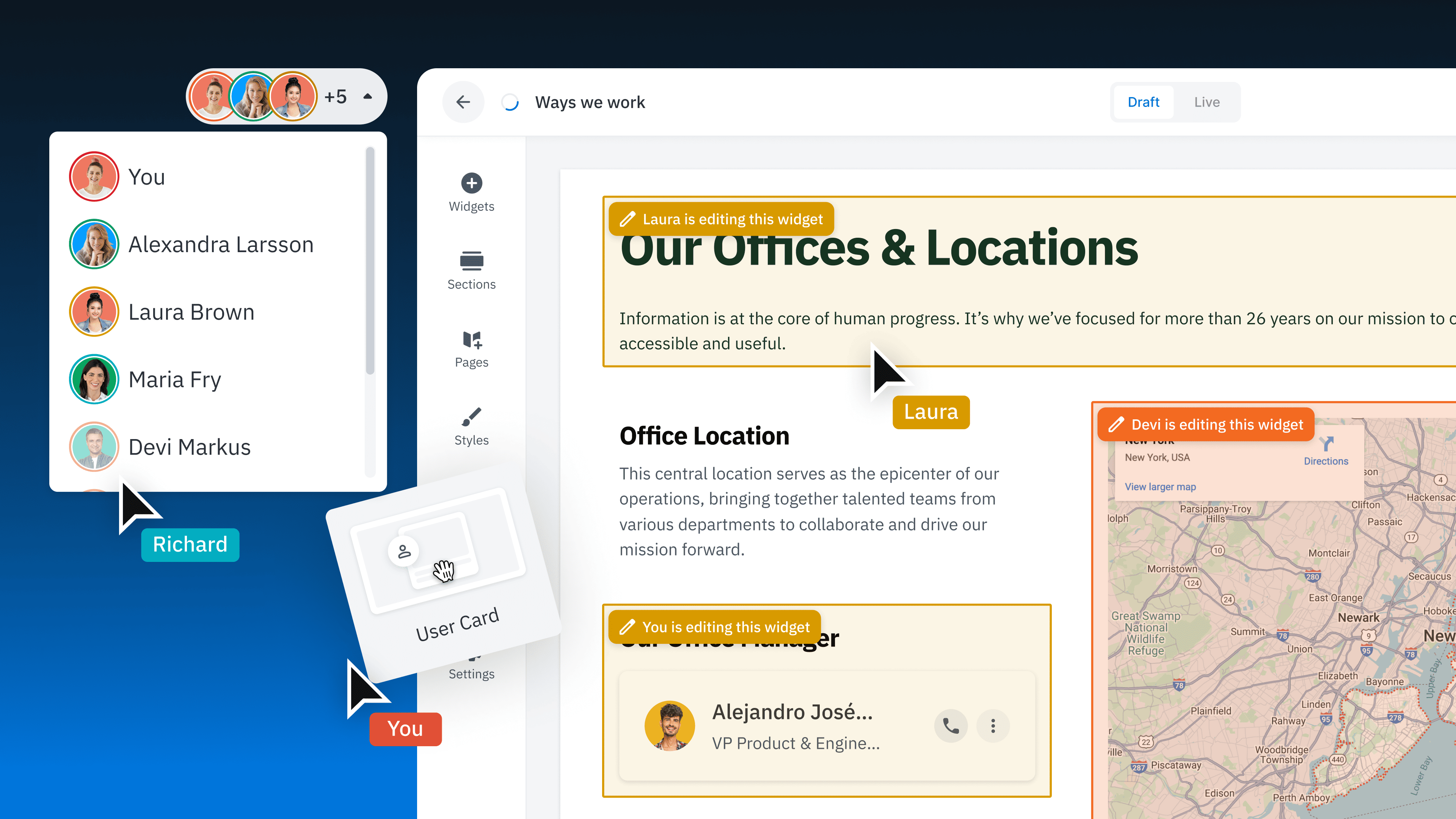
Happeo is a Google Workspace-native intranet built around four connected layers: Pages for structured, long-lasting knowledge, Channels for company communications, a People Directory and org chart, and AI-powered search that ties all of it together. For organisations already living inside Google Workspace, it's designed to feel like a natural extension of tools people already know rather than a separate system to learn.
The most direct advantage over Google Sites is structural rather than cosmetic. Pages in Happeo can be built by anyone comfortable with Google Slides or Docs, without needing IT involvement, but they come with the governance a wiki-style tool never had: named ownership, lifecycle management, and search that treats verified, well-maintained content as more trustworthy than a random file someone uploaded three years ago. That distinction matters more every year, since AI tools searching across a company's knowledge base are only as reliable as the content they're retrieving from.
Happeo also tends to launch fast. Internal implementation data puts the typical rollout at six to eight weeks, and Happeo reports that a majority of customers are live within six months, well ahead of the roughly year-long average implementation timeline often reported across the broader intranet category. For a team that outgrew Google Sites specifically because they needed something usable without a long IT project, that speed to value is usually the deciding factor.
Confluence, from Atlassian, is the default documentation tool for engineering and product teams, particularly anywhere Jira is already in use. It's genuinely strong at technical documentation: architecture decisions, API references, sprint notes, and anything that benefits from being tightly linked to a development workflow.
The limitation shows up outside engineering. Confluence's structure and editing experience are built for a technical audience, and non-technical teams often find it clunky for the kind of general company knowledge a Google Sites replacement is usually meant to hold: HR policy, onboarding material, department pages, company news. Many organisations end up running Confluence for engineering and a separate, friendlier tool for everyone else, rather than trying to make one tool serve both audiences.
SharePoint is the obvious fallback for organisations already standardised on Microsoft 365, and it comes with genuine strengths: deep Microsoft integration, strong enterprise-grade permissions, and no additional procurement required if the licensing is already in place.
The recurring complaint, echoed across a large number of implementations over the years, is usability. SharePoint intranets frequently become something IT builds and maintains rather than something the business can update on its own, which tends to produce the same slow content decay Google Sites suffers from, just with a heavier infrastructure underneath it. Search quality and adoption are the two areas organisations most often cite as reasons for eventually looking elsewhere.
Simpplr is a well-funded, AI-driven intranet platform with a strong reputation among larger enterprises, particularly in regulated industries. It has been recognised as a Leader in analyst reports from Gartner, Forrester, and IDC, and its content personalisation and compliance certifications (including HIPAA and FERPA) are genuinely strong.
That strength comes with more weight than smaller organisations typically want to carry. Some reviewers report heavier implementation and admin overhead than expected, along with design customisation limits that can feel restrictive for teams that want more creative control over how pages look. Pricing isn't publicly listed and is generally perceived as being pitched at enterprise budgets. For a company of a few hundred people looking for a quick, self-managed replacement for Google Sites, Simpplr can be more platform than the problem requires.
Notion is popular for a reason. It's flexible, fast to set up, and genuinely enjoyable to use for small teams building out project docs and lightweight wikis. Plenty of startups migrate off Google Sites and land in Notion as a first step up.
The same flexibility that makes Notion appealing at a small scale tends to work against it as a company grows. There's no dedicated communications layer separate from the knowledge pages, no people directory, and without deliberate structure imposed from the start, content ownership and freshness degrade quickly once more than a handful of people are contributing. Organisations that describe Notion as "our intranet" often discover, once they hit fifty or so employees, that it was never actually built to be one.
LumApps is an enterprise-grade employee hub built for large, complex organisations, and it stands out for genuinely deep integration across both Google Workspace and Microsoft 365 at once, which is rare in this category. It's a strong option for global enterprises with the IT resources to configure and maintain it properly.
That same complexity is a poor match for a team simply trying to move off Google Sites without starting a major IT project. Implementation typically requires significant technical involvement, some users report unexpected costs for features that come standard elsewhere, and the platform is generally acknowledged to be built for a scale and complexity that most mid-sized organisations don't have.
Guru is a card-based knowledge base with a browser extension, widely used by sales and customer success teams that need fast reference answers without leaving whatever tool they're already working in. For that specific use case, it's a strong, focused product.
It's also a narrower tool than what most organisations are actually looking for when they outgrow Google Sites. Guru doesn't cover company-wide communications, doesn't include a people directory, and isn't built to function as a general intranet. Teams that need a full replacement, rather than a reference layer for one department, usually find it solves a smaller piece of the problem than they came looking to solve.
The honest answer to "what replaces Google Sites" depends heavily on which Workspace ecosystem an organisation lives in, how much IT bandwidth is available for implementation, and whether the goal is a narrow reference tool or a genuine company-wide intranet. For organisations built on Google Workspace that want something the whole business can manage without a long IT project, Happeo is designed specifically to close that gap. For deeply technical teams, large regulated enterprises, or highly specific use cases like sales enablement, one of the other tools on this list may genuinely be the better starting point.
What tends not to work, regardless of company size, is staying on Google Sites past the point it was ever meant to scale. The tool is free to use and expensive to outgrow, in IT time, lost knowledge, and the slow erosion of trust that happens once nobody can tell which page is actually current.
